
TLDR
Automated cutting table print finishing saves the most labor when a shop has repeatable jobs, consistent materials, dependable cut files, and enough volume to keep material moving. Cameras, barcodes, feeders, conveyors, stackers, and pallet handling can remove recurring touches around the cut. They do not eliminate skilled work. Tool selection, calibration, exception handling, quality control, maintenance, part separation, and workflow design still require people who understand the process.
The buying decision should therefore start with the table’s waiting time, not its advertised top speed. Find out whether it waits for files, registration, sheets, tool changes, unloading, sorting, or the next operator. The strongest automation investment is usually the one that removes the recurring handoff starving the cutter.
What an automated cutting table actually automates
A digital cutting table is a programmable finishing platform that may cut, kiss-cut, crease, score, perforate, route, or V-cut depending on its tool heads, modules, and material support. This category generally covers flatbed cutter/router systems used after printing. It does not include guillotines, production rotary die cutters, laser label finishers, or slitter/rewinders, which solve different production problems.
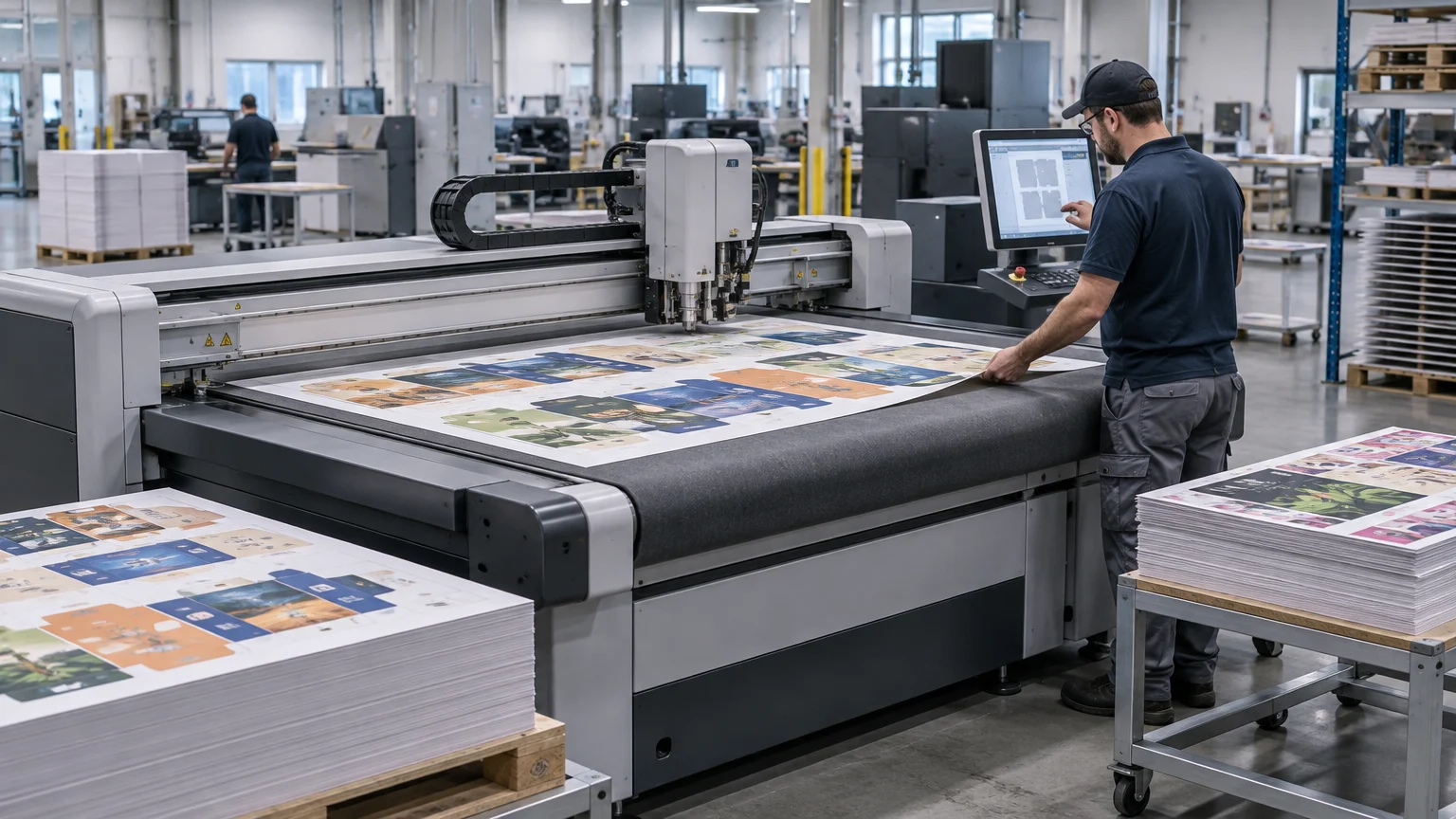
The table itself is only one part of the system. A working automated cell may include cut-file preparation, nesting, job identification, camera registration, tool calibration, roll feeding, sheet feeding, conveyors, unloaders, stackers, and production-data exchange.
That distinction matters because cutting-head motion is not necessarily the bottleneck. A table can complete its programmed path efficiently and still spend too much of the shift waiting for a board to be loaded or a finished sheet to be cleared. Productive capacity comes from shortening the complete job cycle, including the pauses between cuts.
The automation ladder
| Automation level | Work it removes | Best-fit job mix | Manual work left | Operational catch |
|---|---|---|---|---|
| Manually loaded digital table | Hand cutting, template work, and some repetitive measuring | Mixed short runs, prototypes, varied substrates | Loading, job selection, registration, unloading, sorting | Frequent changes can make operator knowledge more important than raw speed |
| Camera and barcode assisted | Manual file lookup and repeated visual alignment | Printed graphics with repeatable marks and known cut files | Material placement, tool setup, inspection, part removal | Poor marks, incorrect files, distortion, or damaged sheets still create exceptions |
| Conveyor or roll-fed system | Repeated repositioning of flexible or continuous media | Textiles, decals, flexible graphics, and longer roll jobs | Roll setup, monitoring, takeoff, waste handling | Media tracking and downstream collection can become the constraint |
| Feeder and stacker | Repeated sheet loading and unloading | Consistent sheet sizes and repeatable board production | Pallet preparation, stack management, quality checks | Warped, damaged, or inconsistent sheets can interrupt feeding |
| Pallet-to-pallet or robotic cell | A large share of routine material transport | Stable, high-volume work with standardized pallets and recipes | Exception recovery, consumables, maintenance, sorting and packing | Capital, floor space, guarding, and workflow discipline rise sharply |
More automation is not automatically better. Each step up the ladder exchanges operator touches for greater dependence on standardized materials, reliable data, predictable staging, and disciplined exception handling. A mixed shop changing substrate, thickness, tool, and layout every few jobs may get more value from camera registration and barcode selection than from a fully automated board-handling cell.
Where automated cutting table print finishing saves labor
File selection and job setup
Software can connect a job identifier with its cut path, tool assignments, registration method, and production settings. Kongsberg positions its i-cut Production Console as covering file preparation, job setup, tool calibration, camera registration, barcode workflows, planning, and manual or automated production. That illustrates how much of the potential labor saving sits in setup and job control rather than in cutting motion alone.
This is valuable when operators would otherwise search shared folders, interpret filenames, select tools, and recreate settings. It is less valuable when the incoming artwork is inconsistent or the cutting data requires repair. Automation processes a bad instruction consistently; it does not make the instruction correct. A dependable print-ready file workflow remains part of finishing productivity.
Print-to-cut registration
Camera registration can locate printed work and adjust a cutting path to the actual sheet. Zünd says its Over Cutter Camera captures registration marks across the cutter work area in one image, while associated software provides distortion compensation. This can reduce the time spent locating marks individually and can help when printing or material behavior changes the relationship between artwork and cut path.
A camera does not cure every registration problem. Marks must be present, readable, and correctly associated with the job. The cut file must match the print. Reflective surfaces, damaged marks, warped boards, dimensional changes, tool wear, and poor material placement can still require intervention. Buyers should test the registration method using their difficult production work, not a vendor’s clean demonstration file.
Loading and unloading
Material movement often produces the clearest labor reduction because loading and clearing happen on every sheet. Zünd describes its BHS180 as a pallet-to-pallet board-handling system with QR-code job recognition and camera-based print-to-cut matching. The important operational idea is not the specific product: automated identification and transport can turn repeated board handling into a managed production flow.
The benefit depends on what happens before and after the table. Pallets must be staged correctly. Finished parts may still need separating, inspecting, sorting, labeling, packing, or delivering to another process. Skeleton waste and small components can complicate automated unloading. A loading system that feeds faster than employees can clear and sort merely moves the queue downstream.
Data entry and job tracking
Production information can move between management, prepress, printing, and finishing systems rather than being re-keyed at every station. CIP4’s overview of JDF and XJDF explains these standards as a way to exchange job and production information across print-production processes.
Standards support the possibility of integration; they do not prove that two products exchange every field a shop needs. A buyer should demonstrate the actual handoff among the MIS or ERP, RIP, prepress workflow, and cutter. Confirm how job IDs, quantities, cut files, material definitions, status, waste, and completion data move—and what happens when a job is rerun or partially completed.
Where skilled setup remains essential
A multifunction table changes character with its tooling. Through-cutting corrugated board is not the same task as kiss-cutting pressure-sensitive media, creasing folding carton stock, routing ACM, or V-cutting display board. Tool choice, blade geometry, router parameters, depth, pressure, hold-down, and pass strategy affect quality and cycle time.
Substrate behavior matters too. Foam board, PVC, ACM, and corrugated plastic differ in rigidity, surface vulnerability, chip production, edge quality, and fabrication requirements. Shops evaluating rigid applications should classify the materials they actually sell rather than treating “board” as one category; this rigid printing substrate comparison provides a useful starting point.
Skilled operators remain important for:
- Choosing and installing the correct tool, blade, bit, wheel, or creasing element.
- Setting cut depth, pressure, speed, acceleration, routing parameters, and hold-down.
- Recognizing worn tools before edge quality or dimensional accuracy drifts.
- Managing warped, bowed, damaged, static-prone, or inconsistent material.
- Correcting mismatched cut files, missing marks, incorrect orientation, and nesting errors.
- Deciding whether an exception can be recovered safely or requires a reprint.
- Inspecting finished parts and controlling separation, sorting, and packing.
- Maintaining vacuum systems, sacrificial mats, extraction, conveyors, and safety devices.
The aim is not to remove expertise. It is to stop spending expert labor on repetitive loading, file hunting, and routine alignment so that skilled people can manage process quality and exceptions.
A worked contrast: repeatable boards versus mixed short runs
Consider a display producer running recurring rigid-board campaigns. Sheet dimensions are standardized, registration marks follow one template, pallets arrive in a known orientation, and cut recipes repeat. Loading and unloading occur hundreds of times around a relatively stable process. A feeder, stacker, or pallet-handling system has a credible target because it removes the same manual motion repeatedly.
Now consider a mixed wide-format shop producing ten foam-board signs, a few routed PVC panels, a corrugated prototype, and a short decal run. The table may change tools, material thickness, hold-down strategy, and finishing method several times in a shift. Camera registration, barcode-driven job retrieval, and better cut-file preparation may reduce errors and setup time, but pallet automation could spend much of its day waiting for a compatible job.
For decal and sticker work sold through an ecommerce service such as Custom Stickers, the finishing question may shift toward roll handling, kiss-cut control, efficient nesting, waste removal, and order sorting rather than automated rigid-board transport. The correct automation level follows the production format and order mix.
How to assess ROI without accepting a headline claim
Do not calculate return from cutting speed alone. Measure the complete cycle for representative jobs. Separate engaged cutting time from file preparation, staging, loading, registration, tool changes, unloading, sorting, rework, and waiting.
A practical calculation starts with monthly hours that the proposed system can credibly remove or convert into productive capacity. Multiply genuinely avoided labor hours by the loaded labor cost, then add the contribution from extra sellable work the shop can realistically win and produce. Subtract added software, service, tooling, consumables, maintenance, financing, utilities, and staffing costs. Do not count theoretical capacity as revenue.
Utilization is especially important with expensive finishing assets. A fast automated cell running a narrow set of jobs for a few hours per week may produce a weaker return than a simpler table used steadily. The same distinction between machine activity and profitable output applies when measuring print equipment utilization.
Buyer checklist: test the workflow, not just the cutter
- Identify the current bottleneck. Record where the table and its operators wait during real shifts.
- Classify jobs by substrate, size, finishing process, run length, repeatability, setup time, and exception rate.
- Measure touch time around the cut, including file retrieval, loading, registration, unloading, sorting, and waste handling.
- Send representative production files and materials for testing, including warped boards, difficult surfaces, small parts, and jobs with distortion.
- Verify every required tool and module for through-cutting, kiss-cutting, creasing, routing, scoring, perforating, or V-cutting.
- Demonstrate barcode or QR-code selection, camera registration, reruns, partial quantities, and recovery from an unreadable mark or incorrect sheet.
- Test the real data exchange with the shop’s RIP, prepress system, MIS, or ERP rather than accepting protocol compatibility as proof.
- Map floor space, access, guarding, extraction, electrical and pneumatic needs, pallet travel, roll storage, staging, and finished-work queues.
- Assign ownership for tool maintenance, calibration, exceptions, quality checks, software templates, and production data.
- Build ROI from observed cycle times and conservative volume assumptions, then compare the proposal with simpler process changes.
The practical recommendation
Buy enough automation to remove the recurring handoff that constrains output. For one shop, that may be camera registration and barcode-driven file selection. For another, it may be roll feeding, automatic sheet loading, or pallet-to-pallet transport. A third shop may need cleaner files and better staging before additional machinery will help.
The best automated cutting table print finishing system is not the one with the most modules. It is the one that keeps the cutter working on profitable jobs while preserving skilled control over setup, quality, and exceptions. Measure the waiting first, test the complete workflow, and automate the repeatable cause—not merely the most visible machine.